


Jamba
4.45.22K Reviews
App Specs
- Version
- 4.24
- Updated On
- License
- Free
- Downloads
- 1,000,000+
- Developer
- Jamba
- Categories
- Food & Drink
- Platform
- Android, iOS
Screenshots
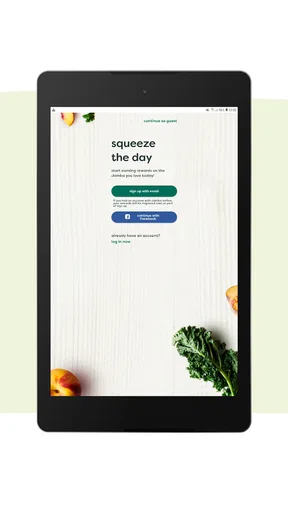
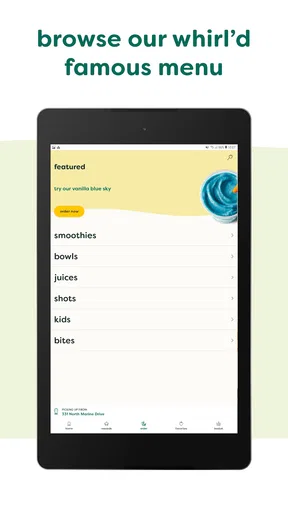
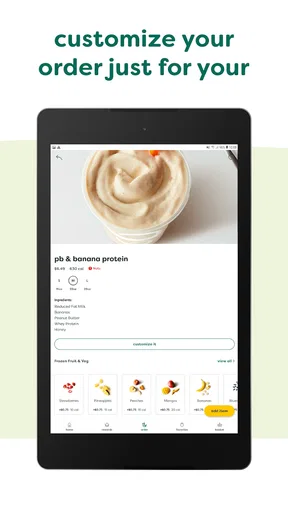
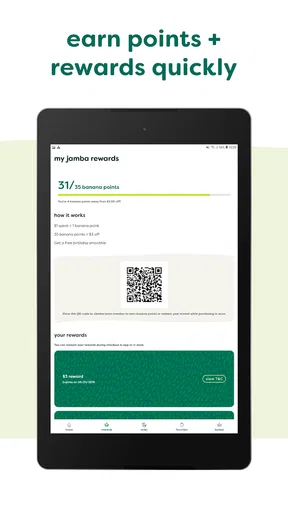
 Analysis by AppCompare
I tend to judge restaurant apps by one question: do they make the moment before eating genuinely easier, or do they simply add another account and another screen to the process? After spending time with Jamba, I think its strongest reason to exist is clear: it brings location finding, advance ordering, payment, and rewards into one place for people who already choose Jamba regularly. That focus makes it more useful than a general food app when I know exactly where I want to buy a smoothie or bowl.
Jamba is a free Food & Drink app from Jamba, aimed at everyone and available for devices running at least iOS 11. It has been around since November 5, 2014, and the current version is 4.24. Its popularity is easy to understand: the app has passed one million installs, holds a 4.4 average from roughly thirty-nine thousand ratings, and has about five thousand two hundred written reviews. Those figures suggest a mature, widely used companion rather than a brand-new experiment, but they do not remove the need to decide whether its particular ordering style fits your routine.
Why ordering ahead is the app’s defining strength
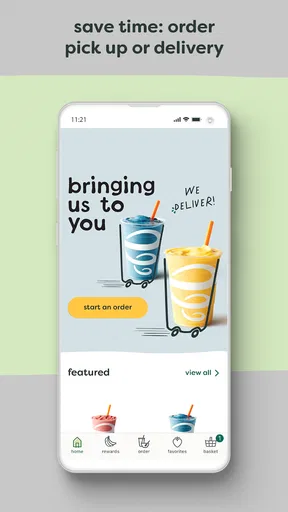
The central capability is the option to order and pay before arriving. In my experience, that changes the app from a digital menu into a practical time-saving tool. Instead of reaching a store, studying the menu while standing in line, and handling payment at the counter, I can make the main decisions earlier. The benefit is especially noticeable when I am already on the way somewhere and do not want a food stop to become an unpredictable pause.
That sounds simple, but the timing matters. A restaurant app is most valuable when it moves decision-making away from the busiest part of the visit. I can look through the available choices when I am sitting at home, decide what I want, and use the location function to connect that choice with a nearby Jamba. The app therefore works best as a planning tool, not merely as a digital replacement for reading a menu on-site.
The same capability also gives the app a useful second role. If I am unfamiliar with the area, the location finder helps me identify where Jamba fits into my route before I commit to an order. That is more convenient than beginning an order blindly and discovering that the selected store is inconvenient. I recommend checking the store first, especially when I am traveling, meeting someone, or trying to fit a pickup into a short break.
Rewards add another reason to keep using the dedicated app instead of treating each visit as a separate purchase. The value is not only about earning something over time; it is also about keeping the ordering habit in one consistent place. For a regular customer, that continuity is more useful than switching between a brand app, a delivery service, and an occasional in-store visit.
What the ordering flow feels like in everyday use
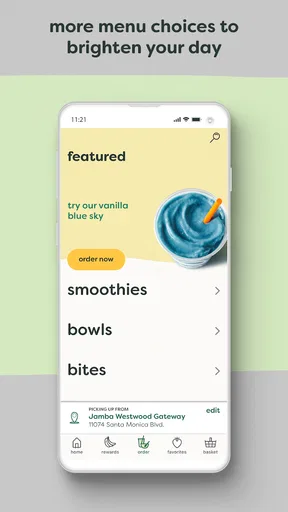
I found the most sensible workflow begins with the destination rather than the drink. I would first use the location feature to choose the store that actually fits my plans, then browse the menu and build the order. This avoids a common mistake with pickup apps: spending time customizing a meal before realizing that the selected branch is not the one I can conveniently reach.
Worth Reading Before You Choose

EA SPORTS FC Mobile 26 Is a Bigger Football Game, but It Takes Time

Flipboard Shows What News Apps Must Do Beyond the Feed

Switching to Android Auto Means Rethinking Your Driving Routine

Google Calendar Makes a Crowded Week Easier to Manage

Ludo King Makes the Most of the Minutes Between Plans

Baby Panda World Brings Quick Play to Modern Phones, but Its Game Library Feels Busy
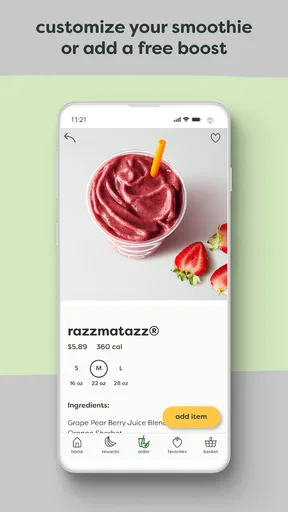
Once the store is chosen, advance ordering is most helpful when I already have a rough idea of what I want. The app is not a substitute for tasting something new or asking a staff member for personal guidance. It is better at reducing friction for a repeat purchase. If I know my usual smoothie, bowl, or snack, I can place the order before leaving and arrive with the transaction already organized.
Payment ahead is another small but meaningful improvement. I do not have to search for a card or pause at the counter while deciding how to pay. That can make a difference during a short lunch break, when traveling with children, or when I am carrying bags and want the handoff to be quick. The advantage is not that the app makes the food itself faster; it makes the ordering portion less demanding.
I would still review the order carefully before submitting it. Advance ordering rewards preparation, but it also means I am making choices away from the store. A rushed tap can lead to the wrong location or an item I selected too quickly. My practical tip is to treat the final review as a checkpoint: confirm the branch, the contents, and the payment before I leave the screen.
A realistic morning and lunch-break scenario
Imagine a weekday morning when I am heading toward work and want a Jamba stop without arriving late. I can check the nearby location, choose something familiar, pay in advance, and arrange the visit around my commute. The app is doing its best work here because the order is predictable and the main problem is time, not discovery. I am not asking it to help me compare every food option in the neighborhood; I am asking it to make one known purchase easier.
The same pattern works during a lunch break. If I have only a limited window, browsing and paying before walking over can reduce the number of tasks competing for that break. I can also use the location feature to avoid heading toward a branch that is in the wrong direction. For me, this is the most convincing everyday use: a familiar Jamba order placed before the visit, with the app handling the repetitive steps.
There is a useful trade-off in that scenario. I gain convenience by deciding early, but I give up some spontaneity. If I enjoy arriving at a store, asking questions, and choosing based on what catches my eye, ordering ahead may feel restrictive. The app is strongest when certainty is a benefit and weaker when the experience depends on browsing in person.
How rewards change the value for repeat customers
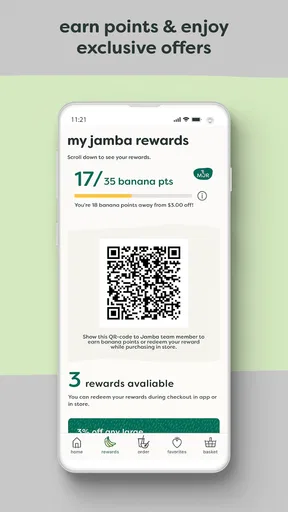
The rewards function matters most when I visit often enough for a dedicated brand app to earn a place on my phone. A single occasional visit may not justify changing habits, particularly if I already use another payment or food-ordering method. For a regular Jamba customer, however, combining rewards with advance payment makes the app more coherent: I can order through the same channel that supports my ongoing visits.
I would not install it solely because the word “rewards” appears in the feature set. The better question is whether I expect to return to Jamba. If the answer is yes, the app has a practical advantage over paying anonymously each time. If the answer is no, a general restaurant or delivery app may be more convenient because it covers more places in one interface.
There is also a behavioral benefit. When my usual order, preferred location, and payment process are connected in one routine, I spend less effort repeating the same setup. That is a subtle strength that a short store description cannot show. The app is not necessarily more powerful than a broad food platform, but it can be more focused for one brand’s regular customers.
Where the app fits beside general food apps
Compared with a general delivery or restaurant-ordering service, Jamba’s advantage is specialization. I do not have to filter through unrelated restaurants when I already know I want Jamba. The location finder is directly relevant, advance ordering is built around the brand’s own stores, and rewards stay tied to the same experience. That narrower scope can make the process feel cleaner.
The limitation is equally clear: this is not the right tool for comparing many restaurants, combining items from different businesses, or deciding what kind of meal I want from a broad local selection. A general food app is better when variety and delivery choices matter more than a direct relationship with one restaurant. If I am choosing between several nearby places, I would rather use the broader service first and open Jamba only when I have already made that decision.
It also differs from ordering in person. The counter offers immediate human interaction and more room for last-minute questions. The app offers preparation and consistency. Neither approach is universally better. I prefer the app for routine purchases and the counter for occasions when I am uncertain, changing my mind, or seeking help before ordering.
Small friction points worth considering
The first limitation is commitment. Once I place an advance order, I have organized my visit around a particular store and a particular selection. That is useful when my schedule is stable, but less convenient when plans change. I would avoid ordering too early if I am unsure about my route or timing, because the app’s main advantage depends on the pickup plan remaining realistic.
The second is that a dedicated app creates another digital habit. I need to remember which service contains my rewards and which payment route I used. People who visit Jamba only occasionally may reasonably decide that ordering in person is simpler. Free installation removes the purchase barrier, but it does not automatically remove the mental cost of maintaining another restaurant account and workflow.
The third is the difference between digital convenience and store experience. Ordering ahead can reduce waiting connected with choosing and paying, but it cannot guarantee that every visit will feel equally smooth. The overall experience still depends on reaching the correct location and collecting the order at a sensible time. I see the app as a way to prepare the transaction, not as a promise that every part of the visit happens instantly.
These trade-offs do not make the app poor; they define its proper use. I would be cautious about recommending it to someone who dislikes planning meals in advance or rarely returns to the same restaurant. For that person, the app may add steps instead of removing them. The strongest recommendation belongs to people whose routines are repetitive enough for advance ordering and rewards to become genuinely useful.
Who will get the most from it
Jamba regulars are the obvious audience. If I already buy smoothies, bowls, or other menu items from the brand and often visit the same area, the combination of location search, advance payment, and rewards gives me a reason to use the dedicated app rather than relying on memory or a broad ordering platform. The more predictable my order and schedule, the more valuable the workflow becomes.
Commuters and busy workers are another strong fit. The app can help me turn a food stop into a planned part of a route, especially when I have a short break or want to avoid making decisions at the counter. Parents may also appreciate having the order prepared before arriving, although anyone ordering for several people should take extra care during the final review so that substitutions or preferences are not entered hastily.
Travelers can benefit from the location feature, but I would use it as a planning aid rather than assuming every unfamiliar visit will be effortless. First-time customers may prefer seeing the store and asking questions before committing. The app is more approachable once I understand what I usually want from Jamba and how a particular visit fits into my day.
People who should skip it are those seeking a single app for every restaurant, those who prioritize delivery comparisons, and those who enjoy spontaneous counter ordering. They are not missing the main purpose of the app; they simply have different priorities. A broad service will serve them better when restaurant choice, delivery coverage, or side-by-side comparison is more important than Jamba-specific convenience.
My recommendation after using the full workflow
I see Jamba as a focused companion for repeat visits rather than an all-purpose food platform. Its best feature is not any individual screen; it is the connection between finding a store, placing an order before arriving, paying in advance, and keeping rewards attached to the same routine. That chain removes small points of friction that become noticeable when I repeat the same purchase week after week.
The app is free and carries an Everyone rating, so it is easy to consider for a household or an individual who already visits the brand. Its long availability and current version show that it is an established part of Jamba’s digital experience, while the strong average rating and broad install base indicate that many customers find the approach worthwhile. I would treat those signals as encouragement, not as a substitute for matching the app to my own habits.
My honest advice is simple: install it if you want Jamba specifically, expect to return, and value picking up a paid order without repeating the whole process at the counter. Start by selecting the correct location, use advance ordering for familiar choices, and check the final order before submitting it. If you mainly want to explore many restaurants or keep every order inside one general marketplace, this dedicated option will probably feel narrower than you need.
For the right user, that narrowness is precisely the point. I would recommend it to a friend who has a regular Jamba stop and wants a smoother routine, while I would not push it on someone who visits only once or prefers spontaneous choices. The app earns its place when repeated convenience matters more than unlimited restaurant choice.
Pros
- Large selection of smoothies
- juices
- bowls
- and snacks
- Nutrition information helps users compare menu options
- Store locator makes it easy to find nearby Jamba locations
- Rewards program can provide points
- offers
- and member benefits
- Mobile ordering may reduce wait times during busy periods
Cons
- Menu availability and prices can vary by location
- Some drinks and bowls are high in sugar or calories
- Rewards and ordering features may require account registration
- Delivery options depend on local store coverage and partners
- App performance and offers may differ between Android and iOS
FAQs for Jamba
What is Jamba and what can I use it for?
Jamba is a mobile entertainment and lifestyle app associated with digital content and services that can be accessed from a smartphone. Depending on your region and the current version, it may offer features such as personalized content, subscriptions, promotions, or account-based services. Before downloading, check the official store description to confirm which functions are available in your country and whether the app matches your expectations.
Is Jamba free to download and use?
The Jamba app may be free to download, but some content or services can require payment, a subscription, or an in-app purchase. Pricing, trial periods, renewal terms, and available packages may differ by country and mobile provider. I recommend reviewing the payment information shown in the app and reading the subscription conditions carefully before confirming any purchase, especially if automatic renewal is enabled.
Does Jamba work on both Android and iPhone?
Jamba availability depends on the operating system, country, and the specific service offered in your region. Users should look for the official Jamba listing in Google Play or the Apple App Store rather than downloading an unofficial file from another website. Also check the listed minimum operating-system requirements, because older Android or iOS versions may not support the latest app release.
Does Jamba require an account or mobile phone number?
Some Jamba features may be available immediately after installation, while other services can require registration, a phone number, email address, or verification through a mobile carrier. The information requested depends on your location and the products you choose. During setup, review the permissions and privacy notices, and provide only the details necessary to use the feature you actually want.
Is Jamba safe to download and how can I cancel a subscription?
For safety, download Jamba only from its verified Google Play or Apple App Store page and confirm that the developer information matches the official service. If you activate a paid subscription, cancellation is usually managed through the store account or the provider connected to your purchase. Cancel before the next billing date, and check the app’s support section for region-specific instructions and refund policies.


